工作流 3:监控工作流错误#
¥Workflow 3: Monitoring workflow errors
最后,让我们帮助 Nathan 了解运行工作流时是否存在任何错误。
¥Last but not least, let's help Nathan know if there are any errors running the workflow.
要完成此任务,请创建一个监控主工作流的错误工作流:
¥To accomplish this task, create an Error workflow that monitors the main workflow:
- 创建新工作流程。
¥Create a new workflow.
- 添加一个错误触发节点(并将其作为测试执行)。
¥Add an Error Trigger node (and execute it as a test).
- 将 Discord 节点连接到错误触发节点,并配置以下字段:
¥Connect a Discord node to the Error Trigger node and configure these fields:
-
Webhook URL:你注册此课程时从 n8n 收到的电子邮件中的 Discord URL。
¥Webhook URL: The Discord URL that you received in the email from n8n when you signed up for this course.
-
文本:" 工作流
{workflow name}失败,错误信息如下:{execution error message}。上次执行节点:{name of the last executed node}。在此处检查此工作流执行情况:{execution URL}我的唯一 ID:" 后面跟着你注册此课程时通过电子邮件发送给你的唯一 ID。¥Text: "The workflow
{workflow name}failed, with the error message:{execution error message}. Last node executed:{name of the last executed node}. Check this workflow execution here:{execution URL}My Unique ID: " followed by the unique ID emailed to you when you registered for this course.请注意,你需要将大括号
{}中的文本替换为从“错误触发”节点获取相应信息的表达式。¥Note that you need to replace the text in curly brackets
{}with expressions that take the respective information from the Error Trigger node.
- 执行 Discord 节点。
¥Execute the Discord node.
- 将新建的工作流设置为上一课中创建的主工作流的错误工作流。
¥Set the newly created workflow as the Error Workflow for the main workflow you created in the previous lesson.
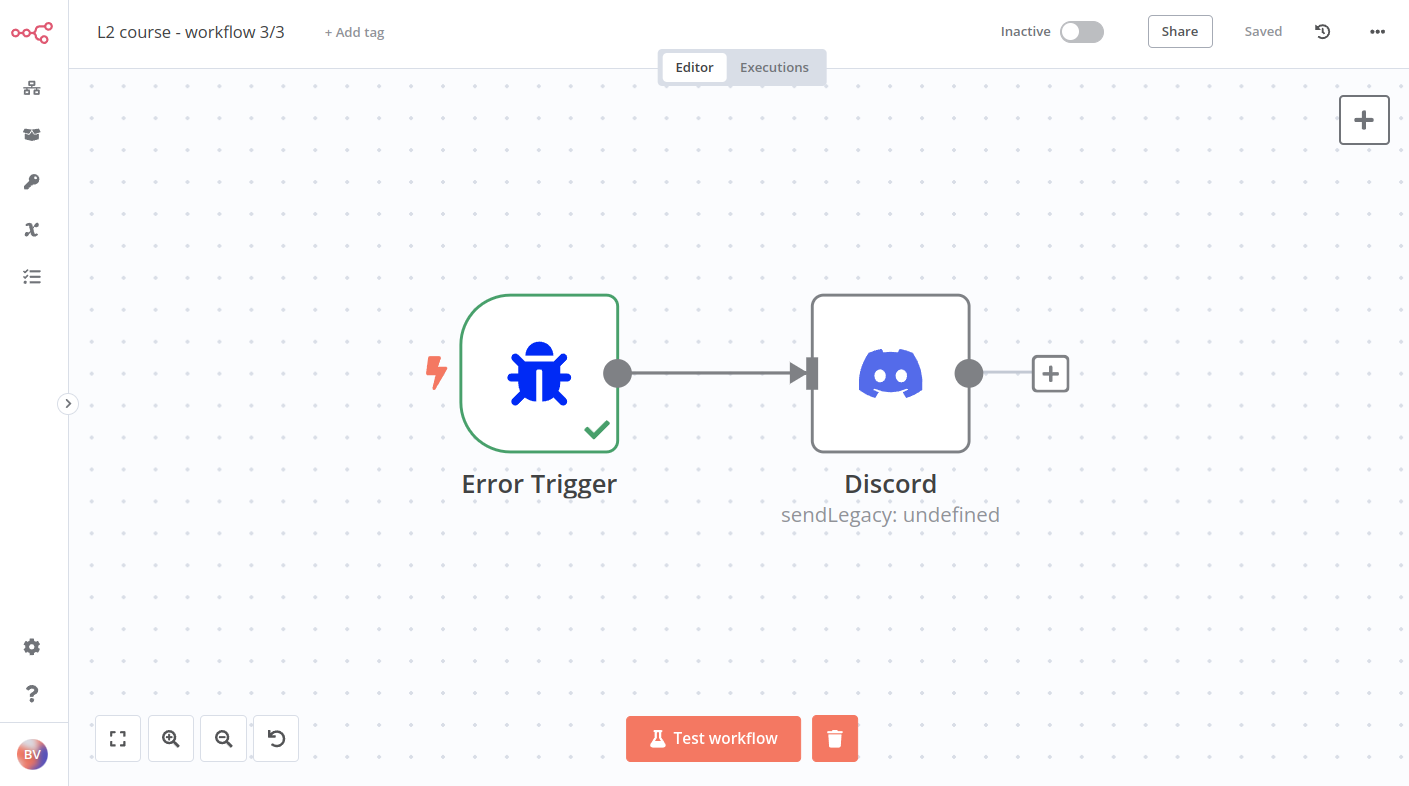
工作流应如下所示:
¥The workflow should look like this:
Quiz questions
- 错误触发节点返回哪些字段?
¥What fields does the Error Trigger node return?
- 错误触发节点返回哪些关于执行的信息?
¥What information about the execution does the Error Trigger node return?
- 错误触发节点返回哪些关于工作流的信息?
¥What information about the workflow does the Error Trigger node return?
- 引用工作流名称的表达式是什么?
¥What's the expression to reference the workflow name?