处理工作流中的错误(Dealing with errors in workflows)#
有时你搭建了一个不错的工作流程,但在尝试执行时却失败了。工作流程执行失败的原因有很多,可能是节点配置错误等简单问题,也可能是第三方服务故障,甚至是一些更难以理解的错误。
🌐 Sometimes you build a nice workflow, but it fails when you try to execute it. Workflow executions may fail for a variety of reasons, ranging from straightforward problems with incorrectly configuring a node or a failure in a third-party service to more mysterious errors.
但不要慌。在本课中,你将学习如何排查错误,这样你就可以尽快让你的工作流程恢复运行。
🌐 But don't panic. In this lesson, you'll learn how you can troubleshoot errors so you can get your workflow up and running as soon as possible.
检查失败的工作流(Checking failed workflows)#
n8n 会跟踪你的工作流的执行情况。
🌐 n8n tracks executions of your workflows.
当你的某个工作流失败时,你可以查看执行日志以了解出了什么问题。执行日志会显示你已保存工作流的最新执行时间、状态、模式和运行时间的列表。
🌐 When one of your workflows fails, you can check the Executions log to see what went wrong. The Executions log shows you a list of the latest execution time, status, mode, and running time of your saved workflows.
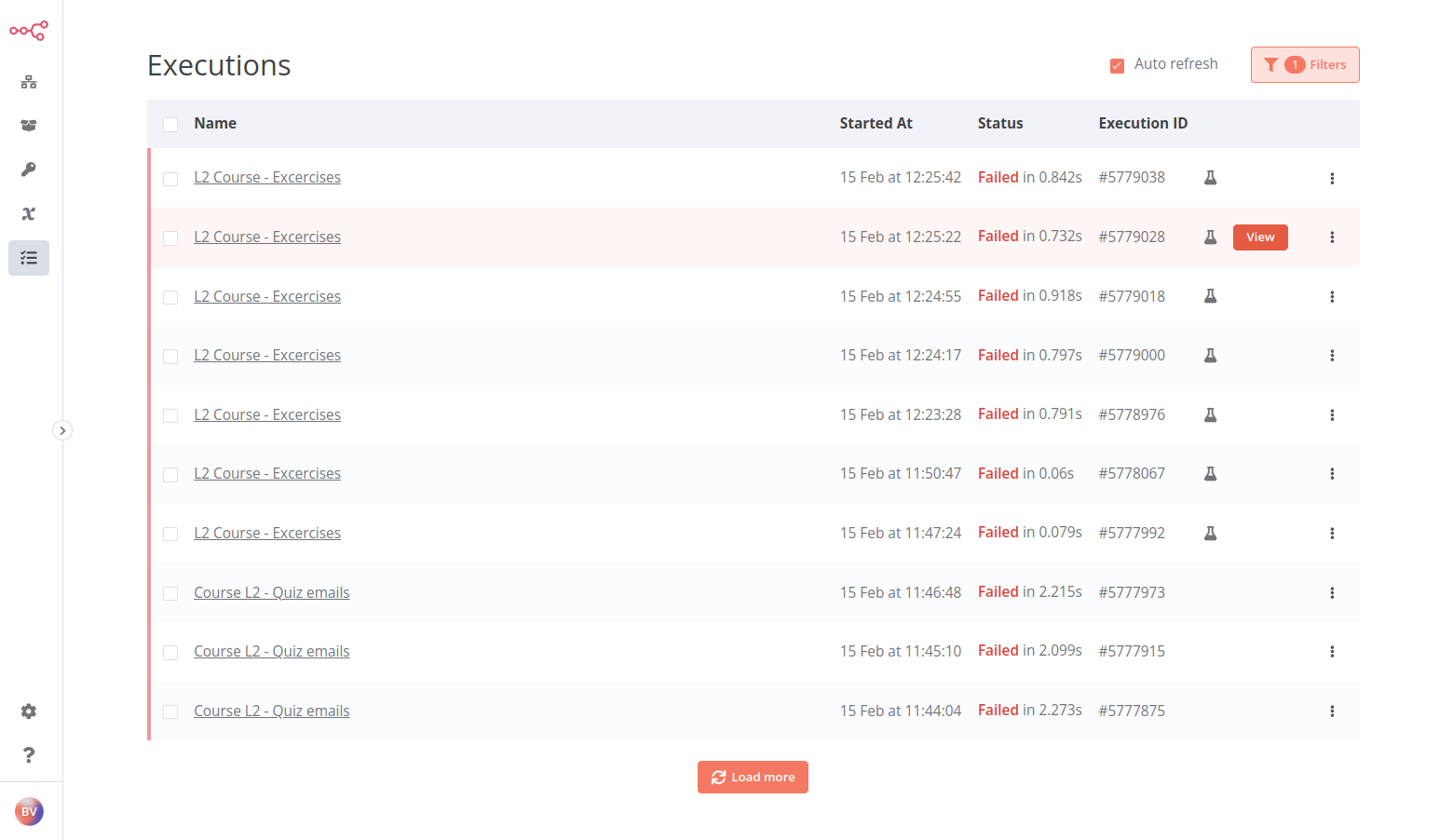
通过在左侧面板中选择 执行 来打开执行日志。
🌐 Open the Executions log by selecting Executions in the left-side panel.
要调查列表中某个特定失败的执行,请选择名称或将鼠标悬停在相应执行行时出现的 查看 按钮。
🌐 To investigate a specific failed execution from the list, select the name or the View button that appears when you hover over the row of the respective execution.
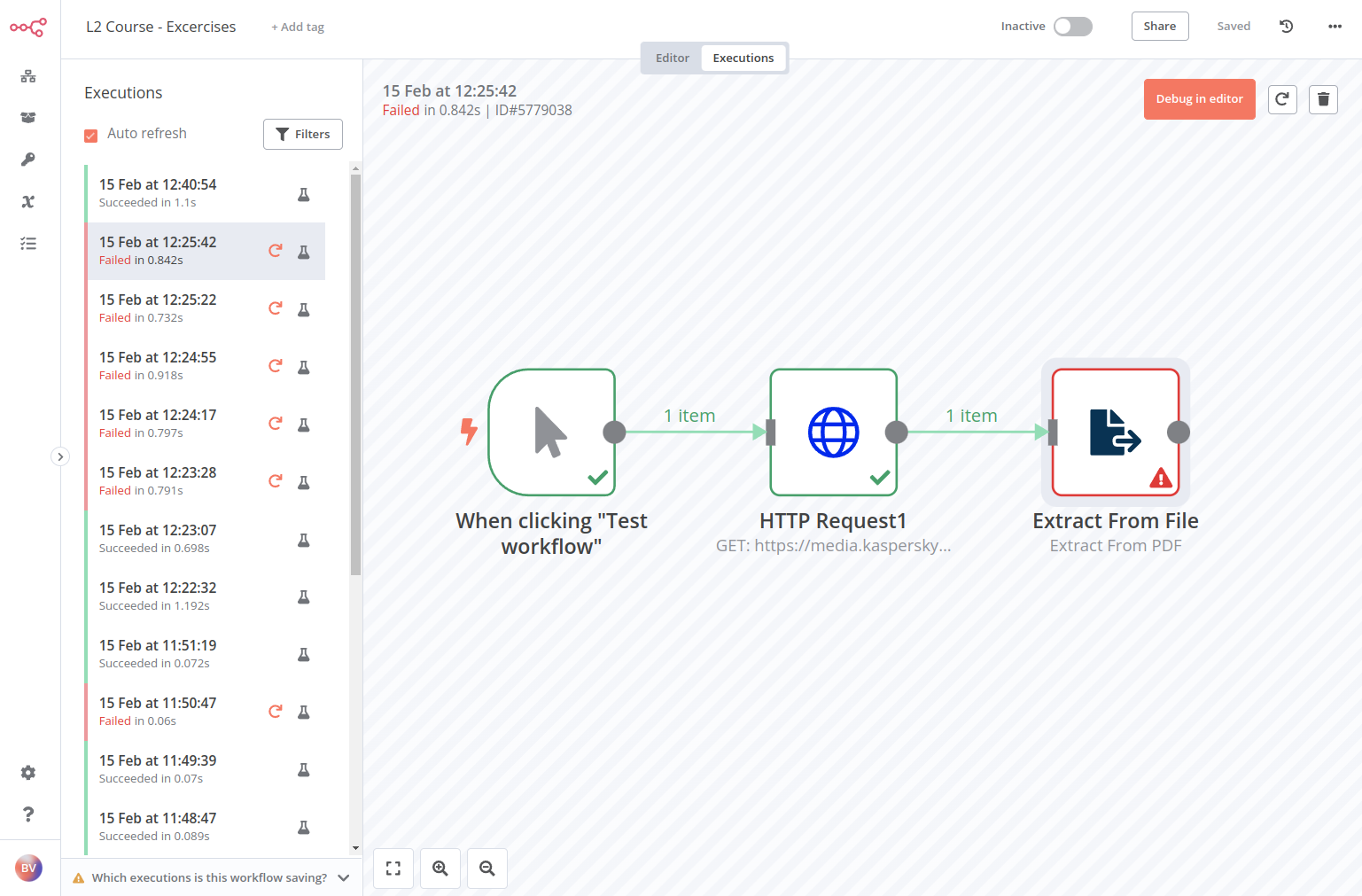
这将以只读模式打开工作流,你可以查看每个节点的执行情况。这种表示方式可以帮助你确定工作流在何处出现了问题。
🌐 This will open the workflow in read-only mode, where you can see the execution of each node. This representation can help you identify at what point the workflow ran into issues.
要在查看执行结果和编辑器之间切换,请在页面顶部选择 编辑器 | 执行 按钮。
🌐 To toggle between viewing the execution and the editor, select the Editor | Executions button at the top of the page.
捕获出错的工作流(Catching erroring workflows)#
要捕获失败的工作流,请创建一个单独的错误工作流,并使用错误触发节点。只有当主工作流执行失败时,该工作流才会执行。
🌐 To catch failed workflows, create a separate Error Workflow with the Error Trigger node. This workflow will only execute if the main workflow execution fails.
在你的错误工作流程中使用额外的节点,根据情况添加,例如通过电子邮件或 Slack 发送有关失败工作流程及其错误的通知。
🌐 Use additional nodes in your Error Workflow that make sense, like sending notifications about the failed workflow and its errors using email or Slack.
要接收失败工作流的错误消息,请在工作流设置中将错误工作流设置为使用错误触发节点的错误工作流。
🌐 To receive error messages for a failed workflow, set the Error Workflow in the Workflow Settings to an Error Workflow that uses an Error Trigger node.
常规工作流和错误工作流之间唯一的区别是后者包含一个错误触发节点。在将其设置为另一个工作流的指定错误工作流之前,请确保先创建此节点。
🌐 The only difference between a regular workflow and an Error Workflow is that the latter contains an Error Trigger node. Make sure to create this node before you set this as another workflow's designated Error Workflow.
错误工作流程
- 如果工作流使用了错误触发节点,你无需发布工作流。
- 如果工作流包含错误触发节点,默认情况下,工作流会将自身用作错误工作流。
- 当手动运行工作流时,无法测试错误工作流。错误触发器仅在自动工作流出错时运行。
- 你可以为多个工作流设置相同的错误工作流。
练习(Exercise)#
在前面的章节中,你已经构建了几个小型工作流。现在,选择其中一个你想要监控的工作流,并为它创建一个错误工作流:
🌐 In the previous chapters, you've built several small workflows. Now, pick one of them that you want to monitor and create an Error Workflow for it:
- 创建一个新的错误工作流。
- 添加 错误触发节点。
- 将你选择的通信平台节点连接到错误触发节点,例如 Slack、Discord、Telegram,甚至 Gmail 或更通用的 发送电子邮件。
- 在你想要监控的工作流中,打开 工作流设置 并选择你刚创建的新错误工作流。请注意,此工作流需要自动运行才能触发错误工作流。
??? 注意 “给我看解决方案”
1 2 3 4 5 6 7 8 9 10 11 12 13 14 15 16 17 18 19 20 21 22 23 24 25 26 27 28 29 30 31 32 33 34 35 36 37 38 39 40 41 42 43 44 45 46 47 48 49 50 51 52 53 54 55 56 | |
在工作流中抛出异常(Throwing exceptions in workflows)#
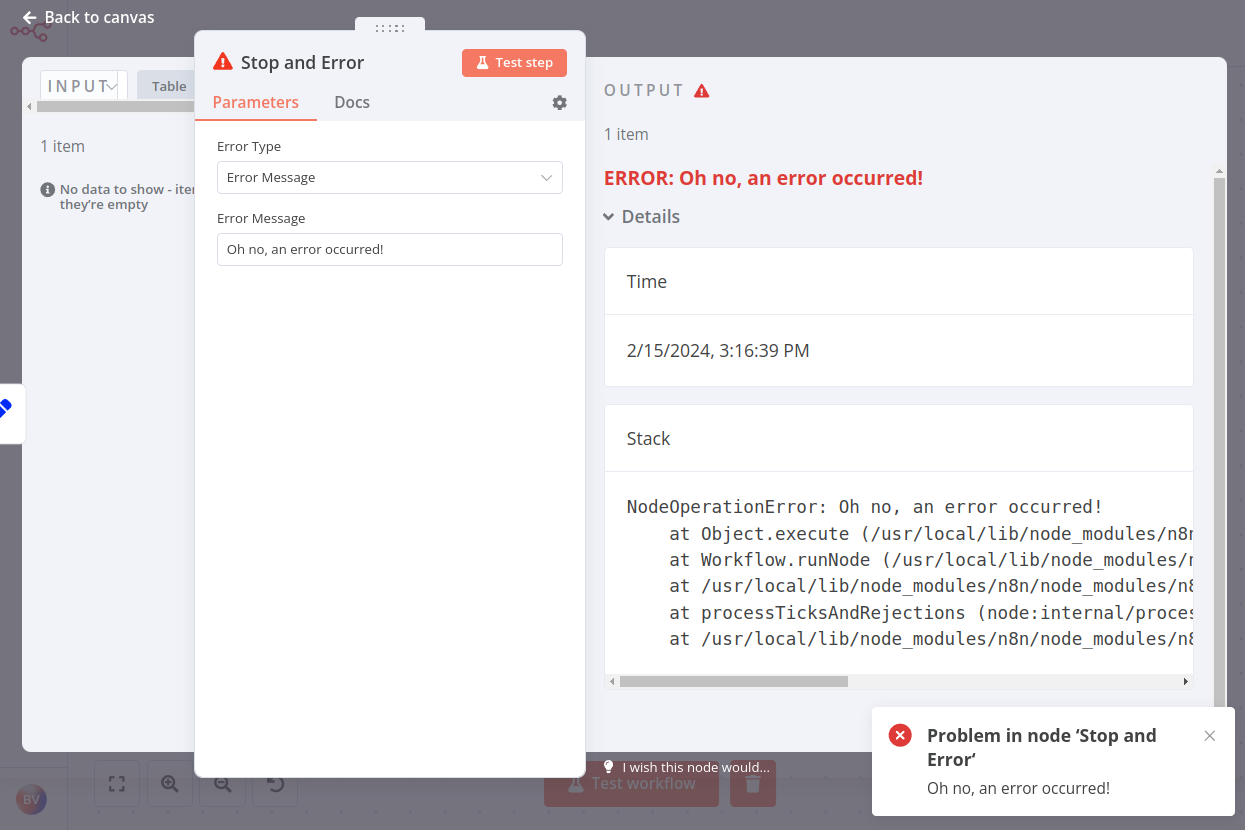
排查工作流的另一种方法是在工作流中包含一个 停止和错误节点。该节点会抛出一个错误。你可以指定错误类型:
🌐 Another way of troubleshooting workflows is to include a Stop and Error node in your workflow. This node throws an error. You can specify the error type:
- 错误信息:返回关于该错误的自定义信息
- 错误对象:返回错误的类型
您只能将 停止和错误节点 作为工作流中的最后一个节点使用。
🌐 You can only use the Stop and Error node as the last node in a workflow.
何时抛出错误
使用“停止和错误节点”抛出异常对于验证节点中的数据(或对数据的假设)并返回自定义错误消息非常有用。
如果你正在处理来自第三方服务的数据,可能会遇到以下问题:
- 格式错误的 JSON 输出
- 数据类型错误(例如,数字数据中包含非数字值)
- 缺失值
- 来自远程服务器的错误
虽然这种无效数据可能不会立即导致工作流失败,但它可能会在后续引发问题,并且难以追踪源错误。这就是为什么在你意识到可能存在问题时抛出错误会更好的原因。