S3 节点#
¥S3 node
使用 S3 节点自动化非 AWS S3 存储中的工作,并将 S3 与其他应用集成。n8n 内置支持多种 S3 功能,包括创建、删除和获取存储桶、文件和文件夹。对于 AWS S3,请使用 AWS S3。
¥Use the S3 node to automate work in non-AWS S3 storage and integrate S3 with other applications. n8n has built-in support for a wide range of S3 features, including creating, deleting, and getting buckets, files, and folders. For AWS S3, use AWS S3.
使用 S3 节点处理非 AWS S3 解决方案,例如:
¥Use the S3 node for non-AWS S3 solutions like:
本页列出了 S3 节点支持的操作列表以及更多资源的链接。
¥On this page, you'll find a list of operations the S3 node supports and links to more resources.
Credentials
请参阅 S3 凭据 以了解有关设置身份验证的指导。
¥Refer to S3 credentials for guidance on setting up authentication.
This node can be used as an AI tool
This node can be used to enhance the capabilities of an AI agent. When used in this way, many parameters can be set automatically, or with information directed by AI - find out more in the AI tool parameters documentation.
操作#
¥Operations
- 存储桶
¥Bucket
-
创建存储桶
¥Create a bucket
-
删除存储桶
¥Delete a bucket
-
获取所有存储桶
¥Get all buckets
-
在特定存储桶内搜索
¥Search within a bucket
-
文件
¥File
-
复制文件
¥Copy a file
-
删除文件
¥Delete a file
-
下载文件
¥Download a file
-
获取所有文件
¥Get all files
-
上传文件
¥Upload a file
Attach file for upload
1 | |
- 文件夹
¥Folder
-
创建文件夹
¥Create a folder
-
删除文件夹
¥Delete a folder
-
获取所有文件夹
¥Get all folders
模板和示例#
¥Templates and examples
节点引用#
¥Node reference
设置文件权限 Wasabi#
¥Setting file permissions in Wasabi
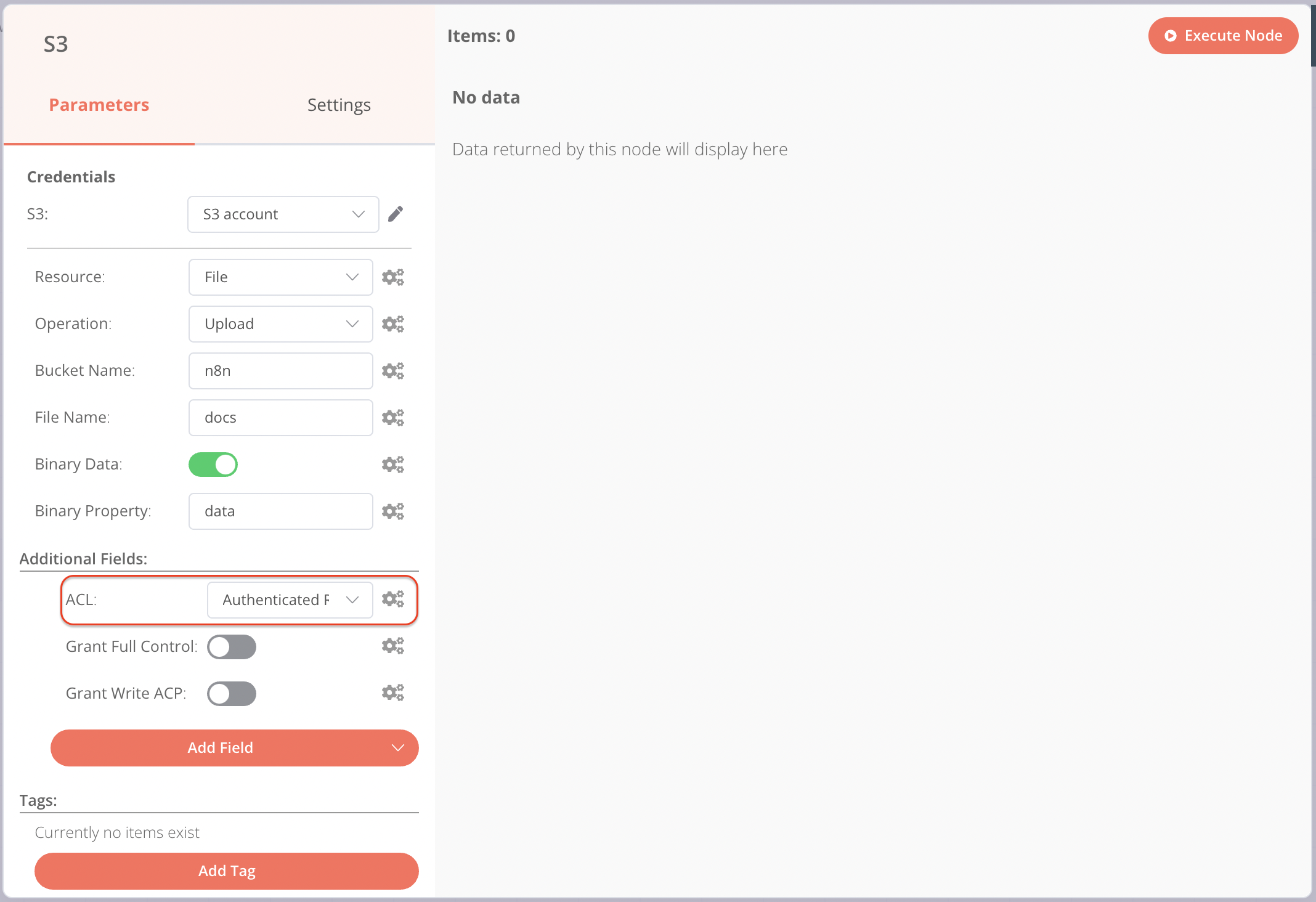
将文件上传到 Wasabi 时,必须使用 ACL 下拉菜单设置文件权限,而不能使用切换开关。
¥When uploading files to Wasabi, you must set permissions for the files using the ACL dropdown and not the toggles.