转换数据(Transforming data)#
n8n 使用预定义的 数据结构,使所有节点能够正确处理传入的数据。
🌐 n8n uses a predefined data structure that allows all nodes to process incoming data correctly.
你的传入数据可能具有不同的数据结构,在这种情况下,你需要对其进行转换,以便可以单独处理每个项目。
🌐 Your incoming data may have a different data structure, in which case you will need to transform it to allow each item to be processed individually.
例如,下图显示了一个 HTTP 请求 节点的输出,该节点返回的数据与 n8n 的数据结构不兼容。该节点返回数据并显示仅返回了一个项目。
🌐 For example, the image below shows the output of an HTTP Request node that returns data incompatible with n8n's data structure. The node returns the data and displays that only one item was returned.
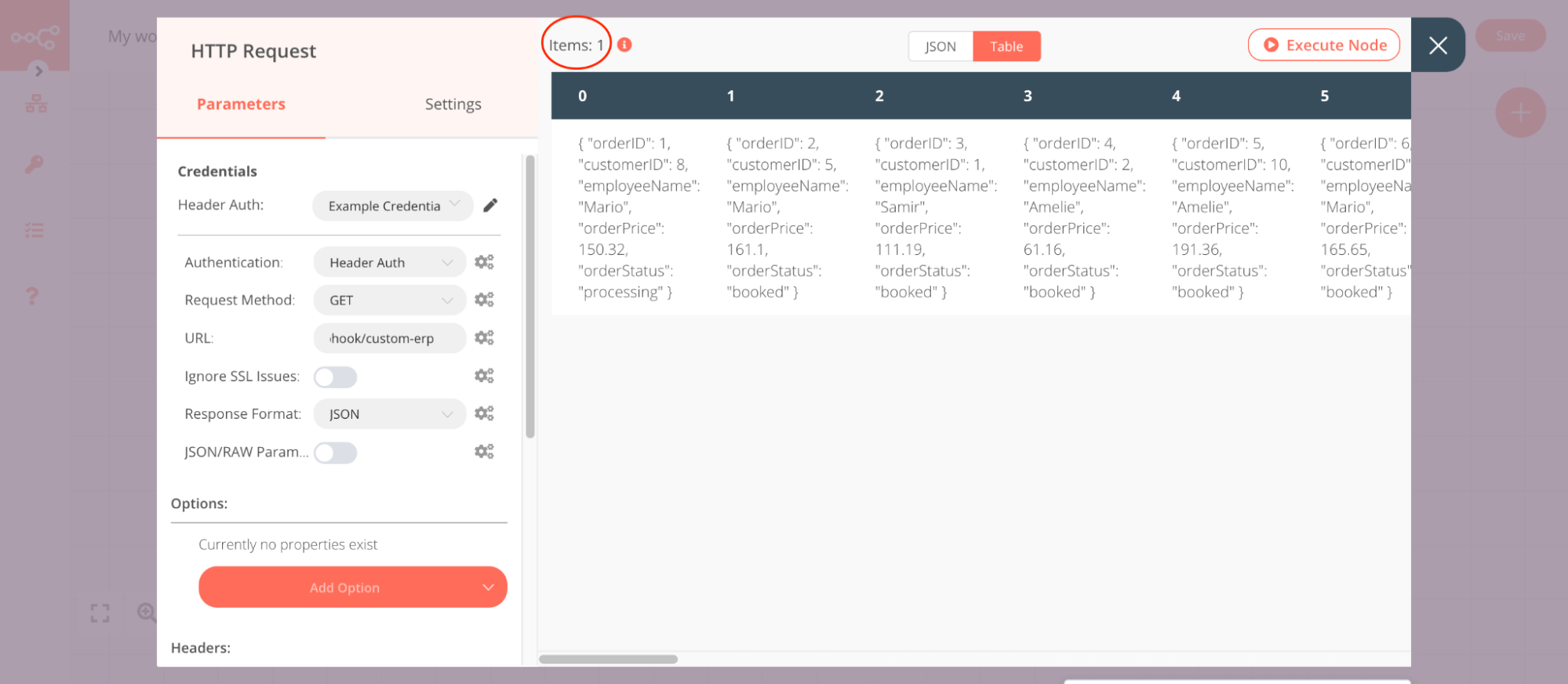
要将此类结构转换为 n8n 数据结构,你可以使用数据转换节点:
🌐 To transform this kind of structure into the n8n data structure you can use the data transformation nodes: