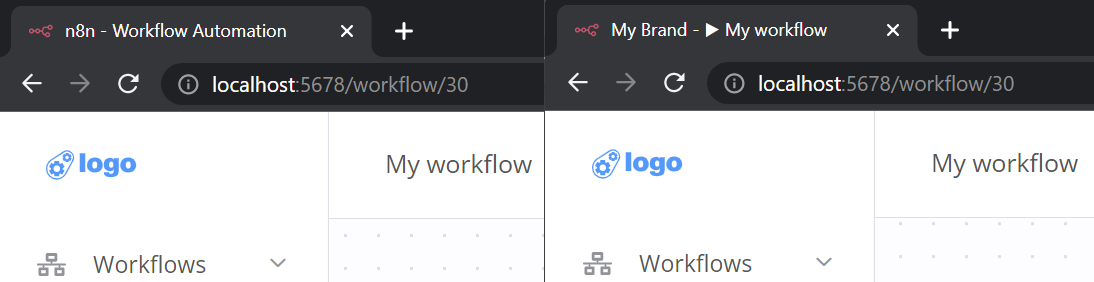
白标(White labelling)#
Feature availability
Embed requires an embed license. For more information about when to use Embed, as well as costs and licensing processes, refer to Embed on the n8n website.
白标化 n8n 意味着自定义前端的样式和资源,以匹配你的品牌标识。该过程涉及更改 n8n 源代码中的两个包 github.com/n8n-io/n8n:
🌐 White labelling n8n means customizing the frontend styling and assets to match your brand identity. The process involves changing two packages in n8n's source code github.com/n8n-io/n8n:
- packages/frontend/@n8n/design-system:n8n 的 storybook 设计系统,包含 CSS 样式和 Vue.js 组件
- packages/frontend/editor-ui:n8n 的 Vue.js 前端构建,使用 Vite.js
先决条件(Prerequisites)#
你的开发机器上需要安装以下软件:
🌐 You need the following installed on your development machine:
- git
- Node.js and npm. Minimum version Node 18.17.0. You can find instructions on how to install both using nvm (Node Version Manager) for Linux, Mac, and WSL here. For Windows users, refer to Microsoft's guide to Install NodeJS on Windows.
创建 n8n 的仓库 分支并克隆你的新仓库。
🌐 Create a fork of n8n's repository and clone your new repository.
1 2 | |
安装所有依赖,构建并启动 n8n。
🌐 Install all dependencies, build and start n8n.
1 2 3 | |
每当你进行更改时,你需要重新构建并重启 n8n。在开发过程中,你可以使用 npm run dev 来在每次修改代码时自动重建并重启 n8n。
🌐 Whenever you make changes you need to rebuild and restart n8n. While developing you can use npm run dev to automatically rebuild and restart n8n anytime you make code changes.
主题颜色(Theme colors)#
要自定义主题颜色,请打开 packages/frontend/@n8n/design-system 并从以下开始:
🌐 To customize theme colors open packages/frontend/@n8n/design-system and start with:
- packages/frontend/@n8n/design-system/src/css/_tokens.scss
- packages/frontend/@n8n/design-system/src/css/_tokens.dark.scss
在 _tokens.scss 的顶部,你会发现 --color-primary 个 HSL 颜色变量:
🌐 At the top of _tokens.scss you will find --color-primary variables as HSL colors:
1 2 3 4 | |
在以下示例中,主色更改为 #0099ff。要转换为 HSL,你可以使用 颜色转换工具。
1 2 3 4 | |
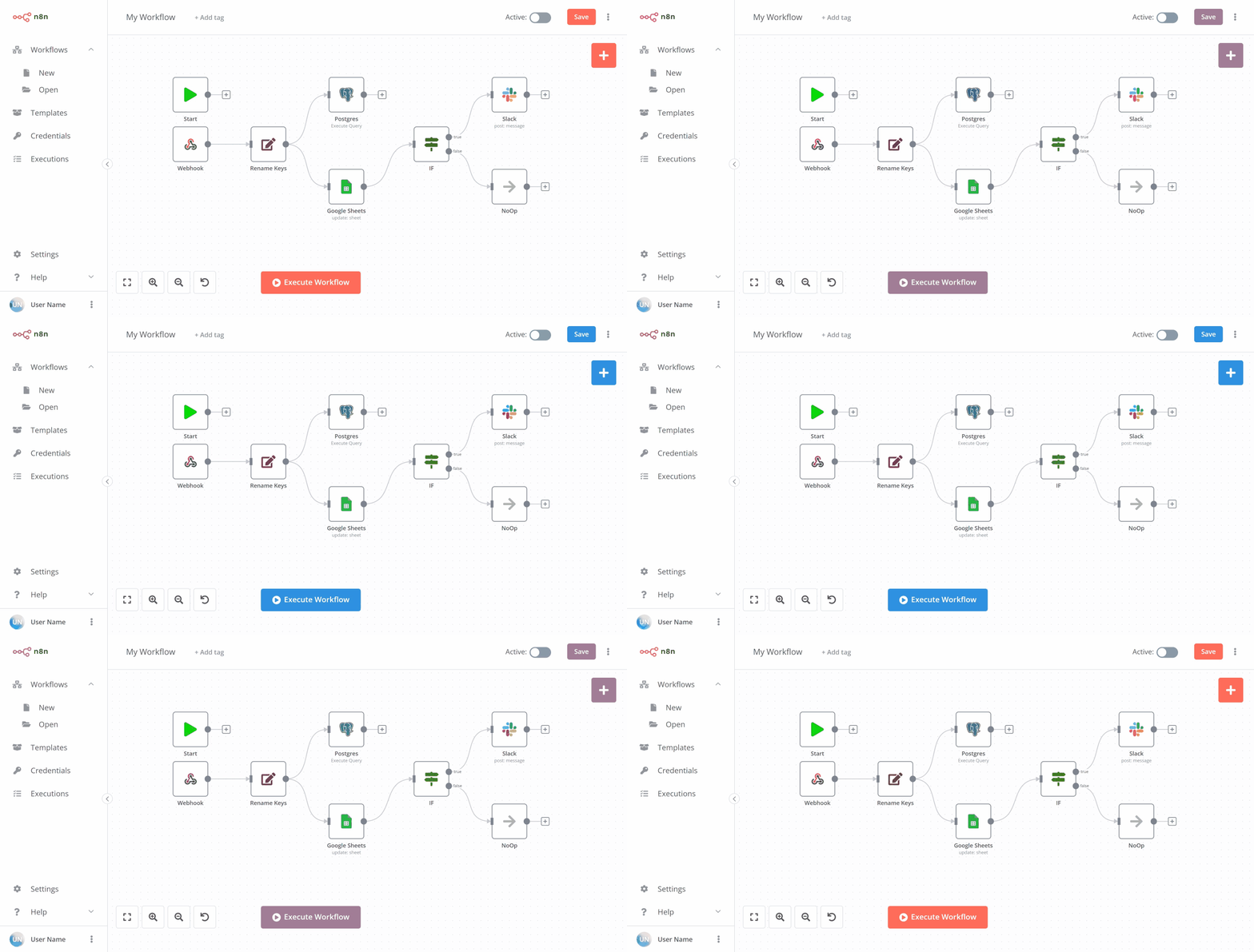
主题徽标(Theme logos)#
要更改编辑器的徽标资源,请查看 packages/frontend/editor-ui/public 并替换:
🌐 To change the editor’s logo assets look into packages/frontend/editor-ui/public and replace:
- favicon-16x16.png
- favicon-32x32.png
- favicon.ico
- n8n-logo.svg
- n8n-logo-collapsed.svg
- n8n-logo-expanded.svg
替换这些徽标资源。n8n 在 Vue.js 组件中使用它们,包括:
🌐 Replace these logo assets. n8n uses them in Vue.js components, including:
- MainSidebar.vue:主侧边栏顶部/左侧的徽标。
- Logo.vue:在其他组件中重复使用。
在以下示例中,将 n8n-logo-collapsed.svg 和 n8n-logo-expanded.svg 替换以更新主侧边栏的徽标资源。
🌐 In the following example replace n8n-logo-collapsed.svg and n8n-logo-expanded.svg to update the main sidebar's logo assets.
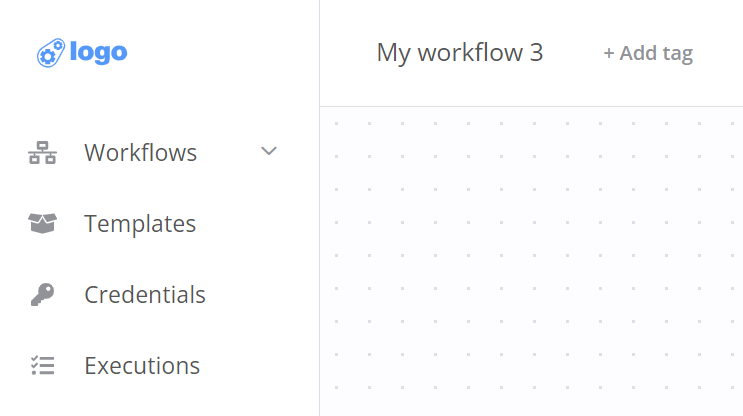
如果你的标志资源需要不同的尺寸或位置,你可以在 MainSidebar.vue 底部自定义 SCSS 样式。
🌐 If your logo assets require different sizing or placement you can customize SCSS styles at the bottom of MainSidebar.vue.
1 2 3 4 5 6 7 8 9 10 11 12 13 14 15 16 17 18 19 20 21 22 | |
文本本地化(Text localization)#
要将所有文本出现的 n8n 或 n8n.io 更改为你的品牌标识,你可以自定义 n8n 的英文国际化文件:packages/frontend/@n8n/i18n/src/locales/en.json。
🌐 To change all text occurrences like n8n or n8n.io to your brand identity you can customize n8n's English internationalization file: packages/frontend/@n8n/i18n/src/locales/en.json.
n8n 使用 Vue I18n 国际化插件为 Vue.js 翻译大部分 UI 文本。要在 en.json 内搜索和替换文本出现,可以使用 Linked locale messages。
🌐 n8n uses the Vue I18n internationalization plugin for Vue.js to translate the majority of UI texts. To search and replace text occurrences inside en.json you can use Linked locale messages.
在下面的示例中,将 _brand.name 翻译键添加到白标 n8n 的 AboutModal.vue 中。
🌐 In the following example add the _brand.name translation key to white label n8n's AboutModal.vue.
1 2 3 4 5 6 | |

窗口标题(Window title)#
要将 n8n 的窗口标题更改为你的品牌名称,请编辑以下内容:
🌐 To change n8n's window title to your brand name, edit the following:
- packages/frontend/editor-ui/index.html
- packages/frontend/editor-ui/src/composables/useDocumentTitle.ts
下面的示例将在 index.html 和 useDocumentTitle.ts 中将所有出现的 n8n 和 n8n.io 替换为 My Brand。
🌐 The following example replaces all occurrences of n8n and n8n.io with My Brand in index.html and useDocumentTitle.ts.
1 2 3 4 5 6 | |
1 2 3 4 5 | |