性能和基准测试(Performance and benchmarking)#
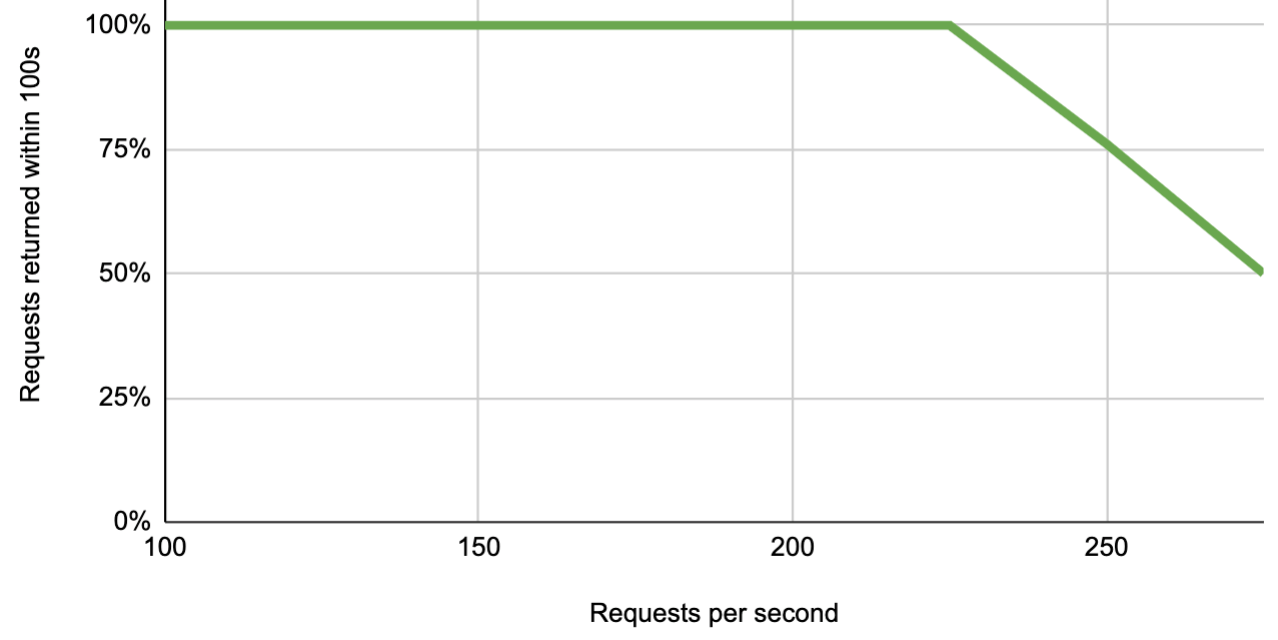
n8n 在单个实例上每秒最多可处理 220 个工作流执行,并且可以通过添加更多实例来进一步扩展。
🌐 n8n can handle up to 220 workflow executions per second on a single instance, with the ability to scale up further by adding more instances.
本文件概述了 n8n 的性能基准测试。它描述了影响性能的因素,并包括两个示例基准测试。
🌐 This document outlines n8n's performance benchmarking. It describes the factors that affect performance, and includes two example benchmarks.
性能因素(Performance factors)#
n8n 的性能取决于以下因素:
🌐 The performance of n8n depends on factors including:
- 工作流类型
- n8n 可用的资源。
- 如何配置 n8n 的扩展选项
运行你自己的节点基准测试(Run your own benchmarking)#
要获得适合你使用场景的准确估算,请运行 n8n 的基准测试框架。该仓库包含有关基准测试的更多信息。
🌐 To get an accurate estimate for your use case, run n8n's benchmarking framework. The repository contains more information about the benchmarking.
示例:单次实例性能(Example: Single instance performance)#
此测试用于测量随着每秒请求数增加响应时间的变化情况。它会观察调用 Webhook 触发节点时的响应时间。
🌐 This test measures how response time increases as requests per second increase. It looks at the response time when calling the Webhook Trigger node.
设置:
🌐 Setup:
- 硬件:ECS c5a.large 实例(4GB 内存)
- n8n 设置:单个 n8n 实例(以主模式运行,使用 Postgres 数据库)
- 工作流:Webhook 触发节点,编辑字段节点
示例:多实例性能(Example: Multi-instance performance)#
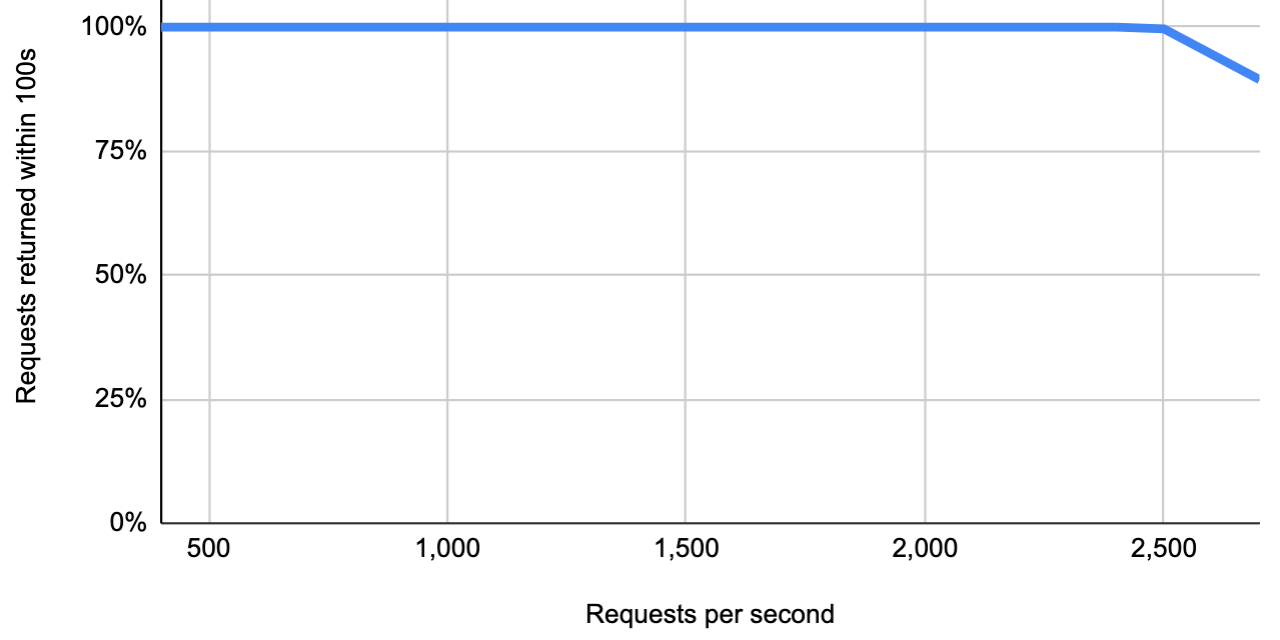
此测试用于测量随着每秒请求数增加响应时间的变化情况。它会观察调用 Webhook 触发节点时的响应时间。
🌐 This test measures how response time increases as requests per second increase. It looks at the response time when calling the Webhook Trigger node.
设置:
🌐 Setup:
- 硬件:七台 ECS c5a.4xlarge 实例(每台 8GB 内存)
- n8n 设置:两个 webhook 实例,四个 worker 实例,一个数据库实例(MySQL),一个运行 n8n 和 Redis 的主实例
- 工作流:Webhook 触发节点,编辑字段节点
- 多实例设置使用队列模式