推送和拉取(Push and pull)#
如果你的 n8n 实例连接到 Git 仓库,你需要保持你的工作与 Git 同步。
🌐 If your n8n instance connects to a Git repository, you need to keep your work in sync with Git.
本文档假设读者对 Git 的概念和术语有一定了解。有关 n8n 如何与 Git 一起工作的介绍,请参阅 Git 和 n8n。
🌐 This document assumes some familiarity with Git concepts and terminology. Refer to Git and n8n for an introduction to how n8n works with Git.
Recommendation: don't push and pull to the same n8n instance
You can push work from an instance to a branch, and pull to the same instance. n8n doesn't recommend this. To reduce the risk of merge conflicts and overwriting work, try to create a process where work goes in one direction: either to Git, or from Git, but not both.
获取其他人的工作(Fetch other people's work)#
n8n 角色控制哪些用户可以拉取(获取)更改
您必须是实例所有者或实例管理员才能从 Git 拉取更改。
要从 Git 拉取工作,选择主菜单中的 拉取  。
。
View screenshot
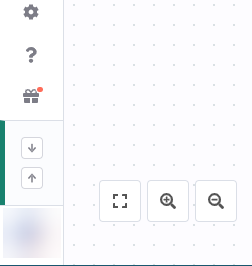
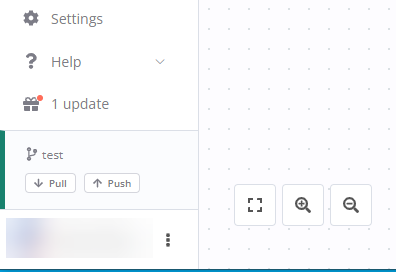
n8n 可能会显示关于覆盖本地更改的警告。选择 拉取并覆盖 以使用 Git 中的内容覆盖您的本地工作。
🌐 n8n may display a warning about overriding local changes. Select Pull and override to override your local work with the content in Git.
当更改包含新的变量或凭据存根时,n8n 会通知你需要在使用这些项之前填充其值。
🌐 When the changes include new variable or credential stubs, n8n notifies you that you need to populate the values for the items before using them.
已删除资源的处理方式
当工作流、凭证、变量和标签从仓库中删除时,本地版本的这些资源不会被自动删除。相反,当你拉取仓库更改时,n8n 会通知你任何过时的资源,并询问你是否希望删除它们。
工作流和凭据所有者可能会在拉取时更改(Workflow and credential owner may change on pull)#
从 Git 拉取代码到 n8n 实例时,n8n 会尝试将工作流和凭据分配给匹配的用户或项目。
🌐 When you pull from Git to an n8n instance, n8n tries to assign workflows and credentials to a matching user or project.
如果原始所有者是用户:
🌐 If the original owner is a user:
如果两个实例上都有相同的所有者(邮箱匹配),所有者保持不变。如果原始所有者不在新实例上,n8n 会将执行拉取操作的用户设为工作流的所有者。
🌐 If the same owner is available on both instances (matching email), the owner remains the same. If the original owner isn't on the new instance, n8n sets the user performing the pull as the workflow owner.
如果原始所有者是一个项目:
🌐 If the original owner is a project:
n8n 会尝试将原始项目名称与新实例上的项目名称进行匹配。如果没有匹配的项目存在,n8n 会创建一个同名的新项目,将当前用户分配为项目所有者,并将工作流和凭据导入该项目。
🌐 n8n tries to match the original project name to a project name on the new instance. If no matching project exists, n8n creates a new project with the name, assigns the current user as project owner, and imports the workflows and credentials to the project.
拉取操作可能会导致短暂的服务中断(Pulling may cause brief service interruption)#
如果你对已发布的工作流程拉取更改,n8n 会在拉取过程中取消发布该工作流程,然后重新发布它。这可能会导致工作流程出现几秒钟的停机时间。
🌐 If you pull changes to a published workflow, n8n unpublishes the workflow while pulling, then republishes it. This may result in a few seconds of downtime for the workflow.
将你的工作发送到 Git(Send your work to Git)#
n8n 角色控制哪些用户可以推送更改
您必须是实例所有者、实例管理员或项目管理员才能将更改推送到 Git。
To push work to Git:
-
Select Push
 in the main menu.
View screenshot
Pull and push buttons when menu is closed
Pull and push buttons when menu is open -
In the Commit and push changes modal, select which workflows you want to push. You can filter by status (new, modified, deleted) and search for workflows. n8n automatically pushes tags, and variable and credential stubs.
n8n pushes the current saved version, not the published version, of the workflow. You need to then separately publish versions on the remote server.
- Enter a commit message. This should be a one sentence description of the changes you're making.
- Select Commit and Push. n8n sends the work to Git, and displays a success message on completion.
提交了什么?(What gets committed)#
n8n 将以下内容提交到 Git:
🌐 n8n commits the following to Git:
- 工作流,包括其标签和工作流所有者的电子邮件地址。你可以选择要推送的工作流。
- 凭证存根——ID、名称和类型。只有在它们是表达式时,才会包含其他字段。你可以选择要推送的凭证。
- 变量存根(ID 和名称)
- Projects
- 文件夹
合并行为和冲突(Merge behaviors and conflicts)#
n8n 对源代码控制的实现有自己的看法。它会自动解决凭证和变量的合并冲突。n8n 无法检测工作流上的冲突。
🌐 n8n's implementation of source control is opinionated. It resolves merge conflicts for credentials and variables automatically. n8n can't detect conflicts on workflows.
工作流(Workflows)#
你必须明确告知 n8n 在推送或拉取时如何处理工作流。Git 仓库作为事实来源。
🌐 You have to explicitly tell n8n what to do about workflows when pushing or pulling. The Git repository acts as the source of truth.
在执行拉取操作时,你可能会收到警告,提示你的本地工作流程副本与 Git 不同,如果你选择接受,本地副本将被覆盖。拉取时请注意不要丢失相关的更改。
🌐 When pulling, you might get warned that your local copy of a workflow differs from Git, and if you accept, your local copy would be overridden. Be careful not to lose relevant changes when pulling.
推送代码时,本地工作流会覆盖 Git 中的内容,因此请确保你使用的是最新版本,否则可能会覆盖最近的更改。
🌐 When you push, your local workflow will override what's in Git, so make sure that you have the most up to date version or you risk overriding recent changes.
为了防止上述问题,你在完成工作后应该立即将更改推送到工作流中。然后再拉取就安全了。
🌐 To prevent the issue described above, you should immediately push your changes to a workflow once you finish working on it. Then it's safe to pull.
避免数据丢失:
🌐 To avoid losing data:
- 设计你的源代码管理设置,使工作流单向流动。例如,在开发实例上进行编辑,推送到 Git,然后再拉取到生产环境。不要在生产环境上进行编辑并推送。
- 不要推送所有工作流程。请选择你需要的工作流程。
- 谨慎手动编辑 Git 仓库中的文件。
凭据、变量和工作流标签(Credentials, variables and workflow tags)#
凭据和变量不会出现合并问题,因为 n8n 会选择保留哪个版本。
🌐 Credentials and variables can't have merge issues, as n8n chooses the version to keep.
拉取时:
🌐 On pull:
- 如果标签、变量或凭据不存在,n8n 将创建它。
- 如果标签、变量或凭据已存在,n8n 不会更新它,除非:
- 您可以使用 API 或通过外部方式设置变量的值。新值会覆盖任何现有值。
- 凭证名称已更改。n8n 使用 Git 中的版本。
- 标签的名称已更改。n8n 会更新标签名称。在重命名标签时请小心,因为标签名称是唯一的,这可能会在拉取过程中导致数据库的唯一性问题。
推送时:
🌐 On push:
- n8n 覆盖所有变量和标签文件。
- 如果凭证已存在,n8n 会用更改覆盖它,但不会在拉取数据时将这些更改应用到现有凭证。
使用外部密钥库管理凭据
如果你在不同的 n8n 环境中需要使用不同的凭证,请使用 external secrets。